Cold Calculation for the Heating Season: Winter Procurement Checklist for Businesses

Author: Team πŸ“ˆALSAT

A practical guide from πŸ“ˆ ALSAT: what to buy before the freeze β€” radiators, pumps, thermostats, generators, insulation β€” and how to recoup it before the first snowfall.

4.9

Winter Challenge for Business

πŸ₯Ά Picture this: it’s January, freezing outside β€” and nearly freezing inside. Clients are in jackets; the cash register is asleep. The solution? Prepare in advance β€” buy what keeps the heat in and your business running. Below is a concise and useful checklist with direct links to πŸ“ˆ ALSAT.

♨️ Radiators: Heat People, Not the Street
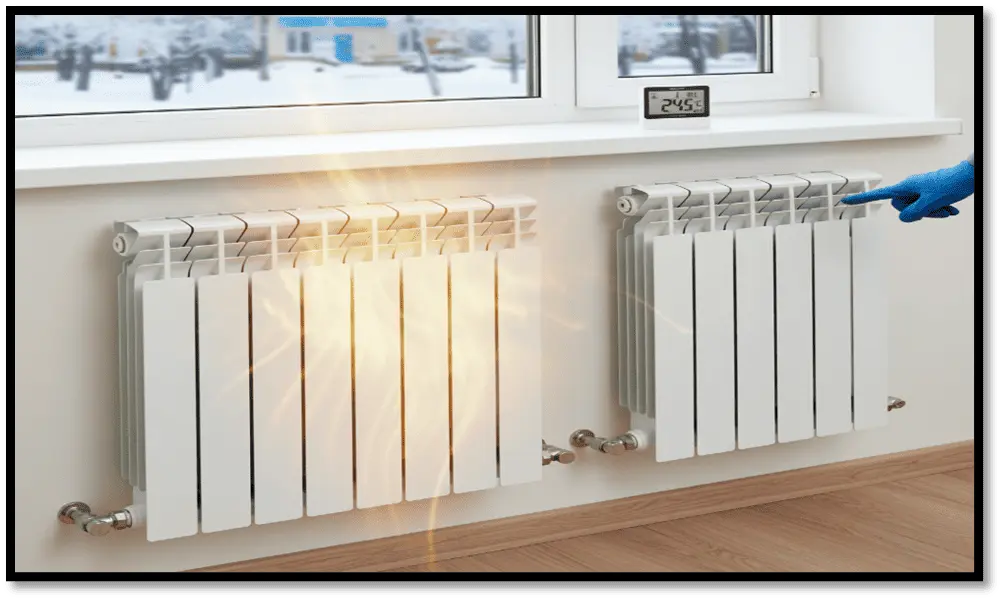
Modern aluminum and bimetallic sections warm up quickly and save boiler resources. Old radiators are budget drainers.
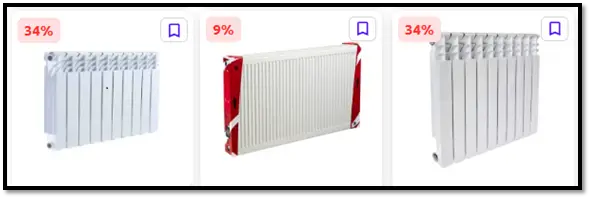
πŸ‘‰ View radiators on ALSAT

Advice: Buy with a margin based on the real volume of your space (not just a guess). Also get quality fittings/valves/brackets β€” quicker installation, fewer delays.

πŸ’§ Circulation Pumps: Keep the Heat Flowing
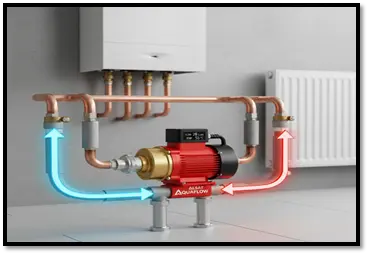
Even the best boiler becomes a useless kettle without a good pump. Proper circulation = no cold corners, fewer complaints, and less under-desk heaters.

πŸ‘‰ View pumps on ALSAT:

Advice: Choose an energy-efficient model with a bypass system. It pays off through reduced energy use and no heat stagnation.

🌑️ Thermostats & Automation: Scheduled Warmth

Heating without a thermostat is like baking pies without a thermometer β€” overcooked or raw. Programmable thermostats maintain +21…+22Β°C where needed, without overheating unused rooms.

πŸ‘‰ View thermostats on ALSAT

Advice: Start with 3 zones β€” office, hall, and storage. That gives you 80% of the energy savings. Scale up later.

πŸ”Œ Generators: Plan B When Power Fails

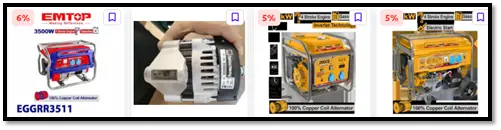
In winter, when the power’s out, so is the boiler and pump. A generator is the only reliable way to keep heating systems on and stores running. πŸ‘‰ View generators on ALSAT

Selection Tip:

  • Office/small store: inverter petrol generators (2–5 kW) β€” quiet, stable voltage.

  • Warehouse/workshop: diesel generators (6–15+ kW) β€” more economical for long use.

Ensure you have ATS (automatic transfer switch) or quick manual switching, fuel canisters, and protective gear. Don’t forget ventilation and exhaust safety.

🧊 Antifreeze / Heat Transfer Fluids: Pipes Get Cold Too

Even a short power cut in sub-zero temps risk frozen, burst pipes. A good heat transfer fluid eliminates that risk and protects against corrosion.
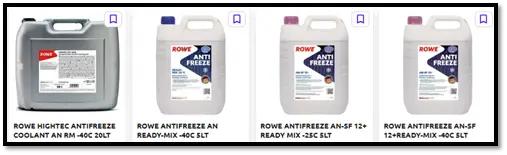
πŸ‘‰ View antifreeze on ALSAT

Advice: Don’t mix random brands β€œfor luck.” Choose the correct concentration for your local minimum temperature and boiler specs.

🧱 Insulation & Thermal Protection: Save Every Degree

The cheapest kilowatt is the one you didn’t lose. Pipe jackets, sleeves, door/gate insulation β€” all reduce heat loss and stop money escaping through the cracks.

Advice: Start with gates, doors, and exposed pipes β€” the 3 main areas where businesses β€œheat the outdoors.” You’ll notice lower bills quickly.

πŸ”₯ Heating Cables & Spot Heating

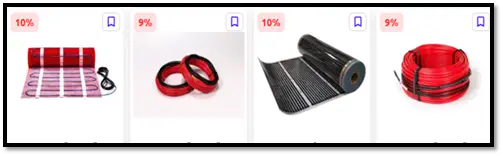
Risk zones: entrances, ramps, pipelines, tight junctions. Heating cable prevents icing and accidents.

πŸ‘‰ View insulation materials on ALSAT

Advice: Critical for warehouses with gates and water lines β€” every downtime = money loss.

🧾 Quick Weekend Action Plan (No Heroics Needed)

  1. Walk through your site and mark cold spots.

  2. List the basics:radiators, pump, thermostats, generator, antifreeze, insulation, heating cable.

3.Go to ALSAT and shop smart (bulk, fair prices):

  • Radiators β†’ see above

  • Pumps β†’ see above

  • Thermostats β†’ see above

  • Generators β†’ see above

  • Antifreeze β†’ see above

  • Insulation/cables β†’ see above

  1. Schedule delivery and plan installation zone-by-zone to avoid downtime.

  2. Got extras (old batteries, etc.)? List them on ALSAT β€” free up storage and return cash to your budget.

What You Gain

βœ…A functioning heating system β€” on schedule, cost-efficient, power-independent

βœ… A generator β€” your business keeps running when others shut down

βœ…Insulation & automation β€” fast ROI, comfort for staff and clients

ALSAT helps: fair prices, bulk deals with no hassle, payment in manats, verified suppliers across the country.

🧊 Don’t freeze β€” order for winter at πŸ“ˆALSAT.com.tm.

πŸ›’ Buying? Fill your cart and lock in your winter your way.

πŸ“¦ Selling? Post your goods in 2 minutes β€” we’ll help with listings and promotion. Just don't freeze - shop for the winter at πŸ“ˆALSAT.com.tm.

Rate this module
Why?
?
Help Center

RFQ

What is RFQ?

It’s like a smart search using a list:
βœ… you have a shopping list
βœ… you upload it to ALSAT
βœ… ALSAT finds matching products

Step by step

1) Sign in
Log in to your account (or register).

2) RFQ page
Open the section in your account where it says RFQ.

3) Prepare your list (Excel / spreadsheet)
Your list should include:
Product name
Quantity
Details (if important: model, size, brand, color)

Example:
A4 paper β€” 10 packs
HDMI cable 2 m β€” 20 pcs
AA batteries β€” 50 pcs

4) Upload the file
Click Upload file β†’ choose the file β†’ attach and confirm.

5) Get results πŸŽ‰
After processing, ALSAT will send you matching items and prices. You choose and place an order.

6) Actions
By opening the commercial offer, you can download the result or view it directly on the website.

RFQ - View

RFQ Results Page

How to navigate

1) Check the status by color
Color helps you understand the result in 2 seconds:
🟩 Green β€” a matching product is found

🟨 Yellow β€” an alternative (a similar option)

πŸŸ₯ Red β€” not found / product is sold out

2) Quantity also matters (red text)
If the quantity is highlighted in red, it means:
πŸŸ₯ the seller does not have enough quantity.

What you can do with the results

3) Click on a product
After clicking the product, you can:
Place an order

View the product (open the product page)

Add to bookmarks (so you don’t lose it)

What is πŸ“ˆALSAT?

πŸ“ˆALSAT is where businesses trade goods and equipment, and yes, it's way faster than calling 20 suppliers.

πŸ“ˆALSAT is a B2B online marketplace where businesses like yours buy and sell goods and equipment: from surplus and liquidation lots to regular wholesale stock and one-off assets.

🎯 Why we built it
Businesses often face two problems at the same time:
πŸ“¦ Some companies have goods sitting idle (stock, equipment, materials).
⚑ Others need those same items fast without overpaying or waiting for imports.

πŸ”— How it works
πŸ“ˆALSAT connects both sides through a transparent process where sellers list inventory, and buyers can search, compare, negotiate, and order.

🧩 Key features (for both sides)

πŸ‘€ For buyers
πŸ”Ž Search and filters to find what you need fast
🀝 Price negotiation and quick order placement
🧾 RFQ support: send your request and get matched options
πŸ“¦ Delivery/pickup options + support with documents (when needed)

🏷 For sellers
πŸ“Έ Easy listing: photos, specs, quantity, price
πŸ“ˆ Sell faster by reaching real business buyers
πŸ’¬ Direct enquiries and negotiation from buyers
🧹 Clear out warehouses and free up working capital

🧰 What you can sell or buy?
βœ… Surplus / excess stock / liquidation lots
βœ… Regular wholesale inventory
βœ… Equipment, tools, spare parts, building materials, office furniture, consumables, and more

πŸ’‘ Why businesses use πŸ“ˆALSAT?
πŸ’° Sell faster and free up working capital
🧠 Buy smarter: find alternatives, compare offers, and negotiate
🧾 Less friction: clear listings, order tracking, and support with documents and delivery options (when needed)

πŸ“© Need procurement help?
Send your RFQ to πŸ“§rfq@alsat.biz – we match it with available listings and usually respond within two business hours.

How to Order?

How to Place an Order in 5 Simple Steps
1. Start on the Main Page
Click the "BUY SMART" button.

2. Select a Product
Click "Learn more" under the product you want.
Tip: Use filters, sorting, or the search bar to quickly find what you need.

3. Review and Check
Check the product details, select the quantity, and click "Confirm order".

4. Enter Payment and Delivery Info
Select your payment method, provide your delivery address, and click "Confirm order" once again.

5. Order Complete
Your order is now placed! Track it anytime on your Account Page or email inbox.

How to become a seller on our platform ?

How to become a seller on our platform?
Registration takes a few seconds, and adding products takes just a few minutes.
All you need to do:

1. Register on our platform.
2. Log in to your account.
3. Add your products by filling out the seller table.

In the table, you must first fill in the mandatory fields (they are highlighted in red) - these are "name", "quantity" and "current price"

The more detailed and accurate the information about your product is - including its characteristics, advantages and features, high-quality photos - the higher the likelihood that a potential buyer will be interested and make a purchase. A detailed description attracts attention and helps you stand out from competitors, increasing the chances of a successful sale.

We will take care of everything else: from advertising to finding buyers and ensuring timely payment.

Terms of sale

1. Registration and Adding Products:
The seller must register on the platform and provide accurate information about the products, including description, price, and quantity.

2. Commission:
The platform charges a commission on successful sales. The commission amount is specified in the platform's terms of use.

3. Quality Guarantee:
The seller is obliged to provide products that match the description and guarantee their quality.

4. Payment and Delivery:
The seller must ensure timely delivery of the product and proper documentation. The platform may offer payment protection if provided for by the rules.

5. Returns and Refunds:
Sellers are required to adhere to the return policy if the buyer finds defects or receives a non-conforming product. The return conditions are specified when listing the product.

6. Complaints and Disputes:
Disputes between the buyer and the seller are resolved in accordance with the rules of the platform. If necessary, the platform can act as a mediator.

7. Compliance with the law:
The seller is obliged to comply with all applicable laws regarding trade and taxation.

Returns

Return of goods and refund conditions (for buyers)

1. General Overview
At πŸ“ˆALSAT, we strive to ensure that all transactions between buyers and sellers are smooth and satisfactory. However, we understand that there may be instances where a refund is necessary. This Refund Policy outlines the conditions under which refunds are processed.

By creating an account, using our platform, or completing any transaction on πŸ“ˆALSAT, you agree to this Refund Policy. Your continued use of the platform following any modifications to this policy constitutes your acceptance of such changes.

2. Eligibility for Refunds
Refunds may be considered under the following conditions:

- The product received does not match the description provided on the platform.

- The product is defective or damaged upon delivery.

Refunds will not be granted under the following circumstances:

- The buyer changes their mind after the transaction has been completed.

- The buyer fails to follow the product usage guidelines or causes damage to the product.

- The buyer is dissatisfied with the quality but the product matches the agreed specifications.

3. Requesting a Refund
To request a refund, buyers must follow these steps:

1. Contact Us: The buyer must notify πŸ“ˆALSAT’s customer service within 7 calendar days of receiving the product via email. Please provide details, including order number, item description, and the reason for requesting a refund.

2. Submit Evidence: Buyers may be required to provide photographs or other evidence to support their refund request (e.g., images of damage or incorrect product).

3. Return of Goods: If the refund is approved, the buyer may be required to return the product to the seller. In such cases, the return shipping cost will be covered by the buyer unless agreed otherwise.

4. Refund Processing
- Refunds are typically processed within 14 business days of receiving the request and verifying the issue.

- Refunds will be issued via the original payment method (bank transfer, credit card, etc.).

- If the refund request is denied, ALSAT’s customer support will provide a detailed explanation.

5. Non-Refundable Situations
- Products that have been customized or made-to-order.

6. Dispute Resolution
If a buyer and seller cannot come to an agreement regarding a refund, πŸ“ˆALSAT will act as a mediator. Both parties must provide all relevant information to help us resolve the issue fairly.

7. Modifications
πŸ“ˆALSAT reserves the right to modify or update this Refund Policy at any time. Any changes will be communicated via the platform or by email to registered users.

How can I trust the quality of bulk items?

We carefully select and verify all sellers on our platform to ensure they meet our quality standards. We ensure transparency throughout the transaction. If there are any concerns about the quality of the goods received, we have systems in place to resolve disputes efficiently.

Welcome to Our Platform!

You need to Login or Register to access this feature.