If your procurement manager has opened 20 tabs again, show them 30,000 products on πŸ“ˆALSAT

Author: Team πŸ“ˆALSAT

πŸ“ˆALSAT works on the principle of : β€œWhat is your task, and how can we put together the purchase faster?”

If your procurement manager has opened 20 tabs again, show them 30,000 products on πŸ“ˆALSAT

Business procurement often starts simply: you need a product. Then comes the usual routine: calls, messages, stock checks, price comparisons, supplier searches, waiting for replies, and the question: β€œWho else can we ask?” In B2B, this is no small thing. It costs the team time, money, and attention. That is why πŸ“ˆALSAT already brings together more than 30,000 products for businesses: from stationery, furniture, and appliances to construction materials, equipment, digital services, and even a KAMAZ truck. Sounds unusual. But businesses can be unusual too.

β€’ One company needs to open an office.

β€’ Another needs to prepare a store.

β€’ A third needs to purchase materials for a construction project.

β€’ A fourth needs to find products for a cafΓ©, warehouse, salon, workshop, or resale.

πŸ“ˆALSAT does not work on the principle of β€œhere’s a product, buy it.” The logic is different: β€œWhat is your task, and how can we put together the purchase faster?”

The more you buy, the better the price gets

In business, people rarely buy β€œjust one little thing for fun.” More often, they need 50 units, 100 units, 1,000 units, regular deliveries, stock for a warehouse, or a batch for resale. That is why products on πŸ“ˆALSAT can be offered in quantity lots: the larger the volume, the better the price. It is convenient: you can immediately see where wholesale savings begin instead of starting a separate negotiation marathon along the lines of β€œWhat if I buy more?”

Price doesn’t work for you? Offer your own

In a typical online store, everything is rigid: there is a price, there is a button, and there is no alternative. B2B does not always work that way. The price depends on volume, timing, payment terms, batch size, urgency, and available stock. That is why on πŸ“ˆALSAT the buyer can offer their own price through the β€œToo expensive? Click to offer your price!” feature.

Sometimes a deal is not made where the price is perfect from the start. It is made where there is room to negotiate.

RFQ: when the purchase is too large to search for one product at a time

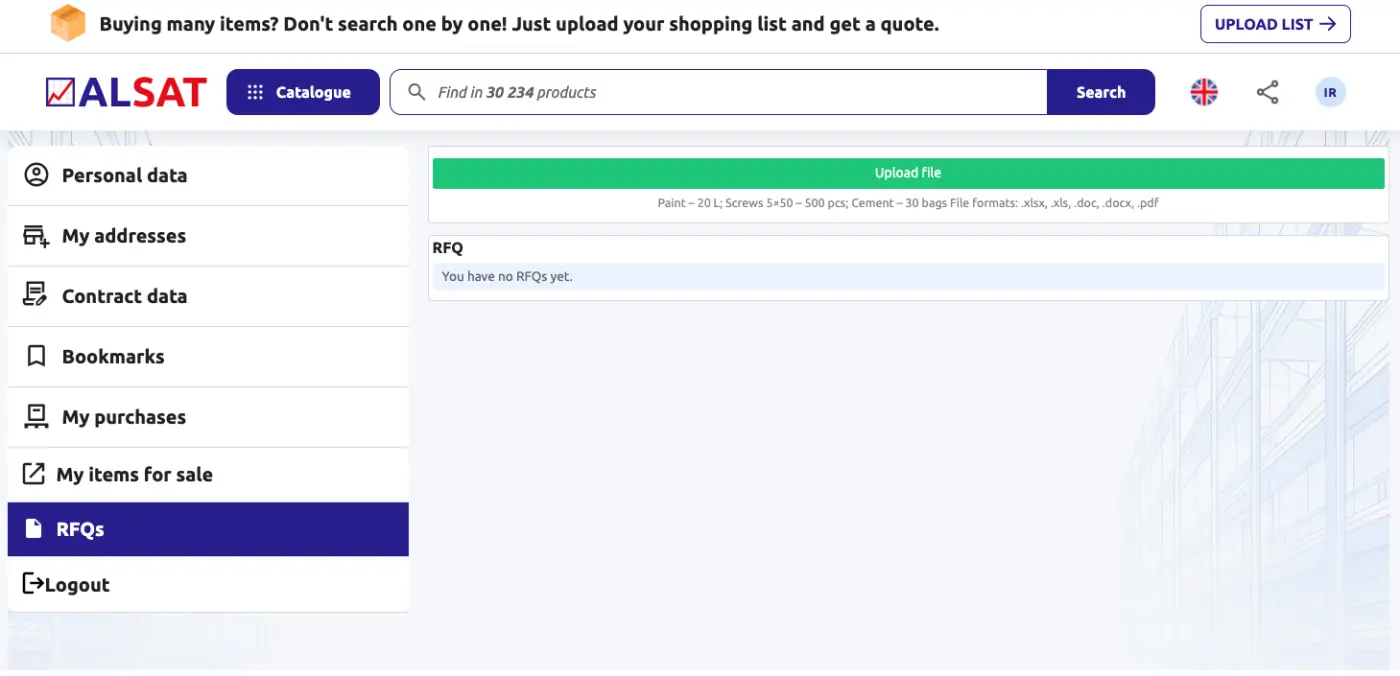
Sometimes a purchase list looks like a school essay: paper, cable, air conditioner, cartridges, chairs, lamps, filters, tools, and β€œpreferably by tomorrow.” For cases like these, πŸ“ˆALSAT offers RFQ: request for quotation, meaning a request for a price quotation.
β€’ There is no need to search for every item one by one.

β€’ There is no need to keep 20 tabs in your head.

β€’ There is no need to turn procurement into a mini-investigation.

You send a list of the products you need, and πŸ“ˆALSAT helps find suitable options and prices.

What unexpected things can you find on πŸ“ˆALSAT?

For example:

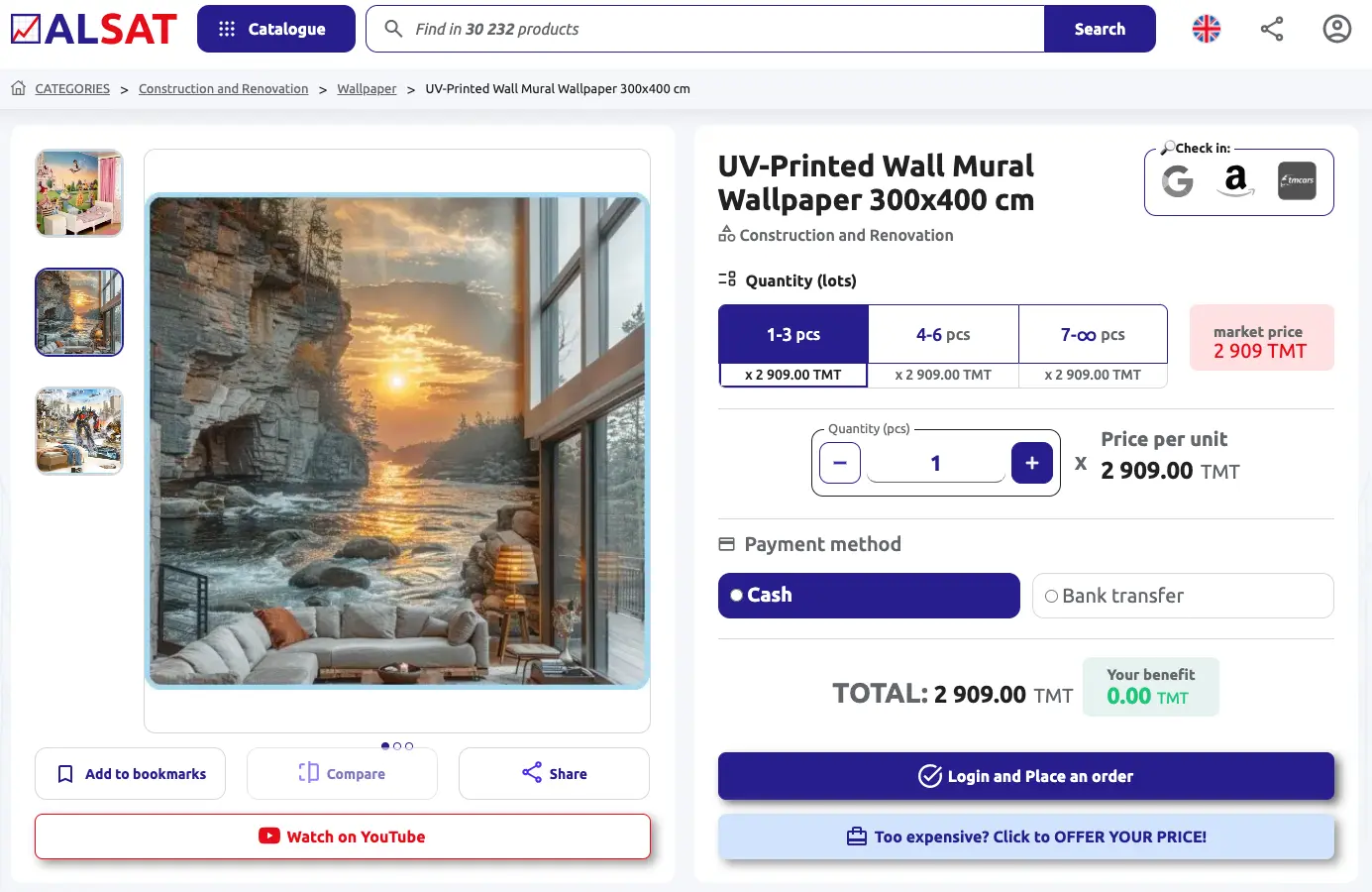
UV-printed wallpaper, 300Γ—400 cm.

For a showroom, children’s area, cafΓ©, salon, photo zone, or commercial interior.

A 23 L RIVACASE cooler bag.
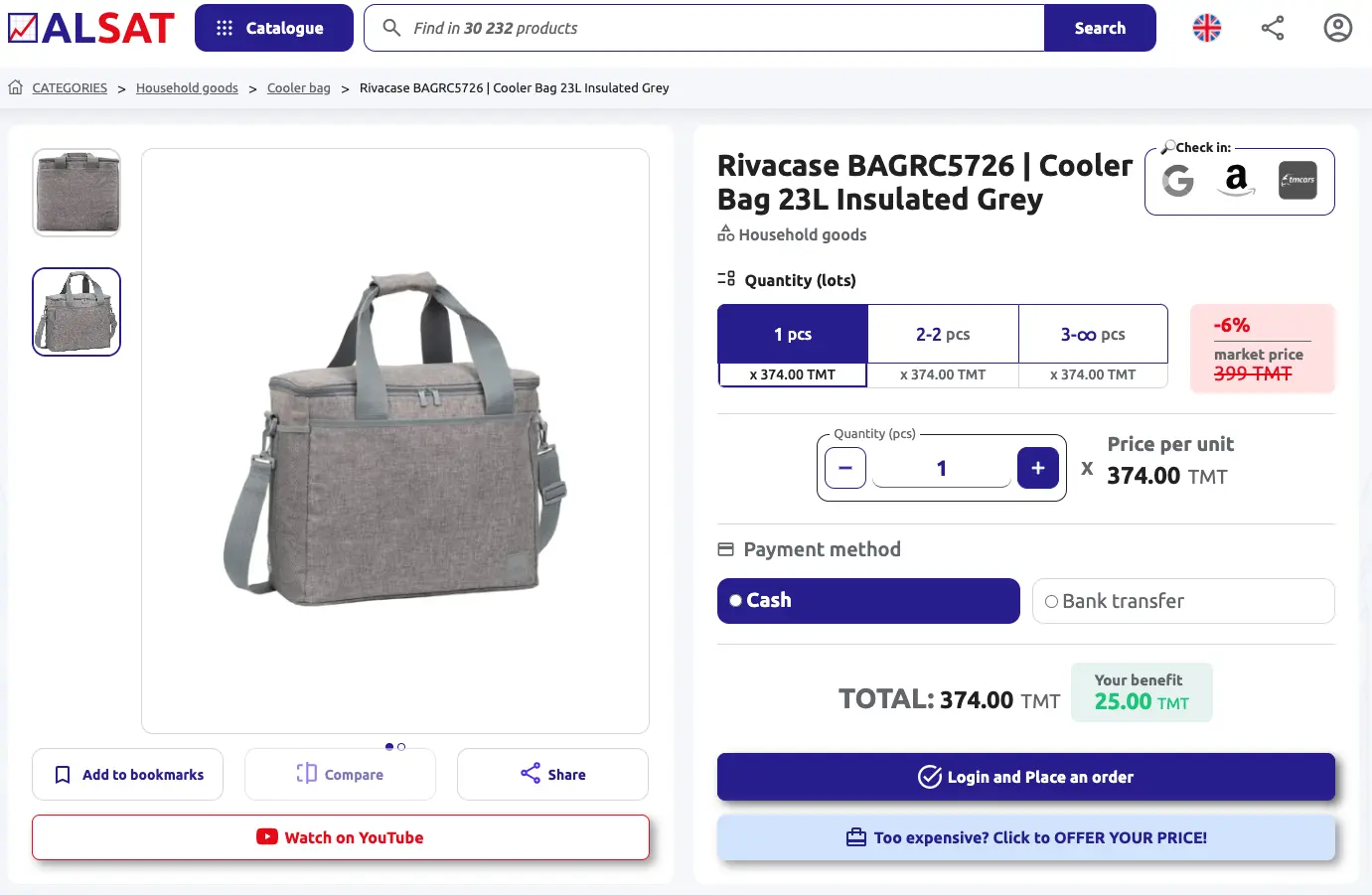
For delivery, HoReCa, stores, events, food, and beverages.

A KAMAZ 6520 truck.
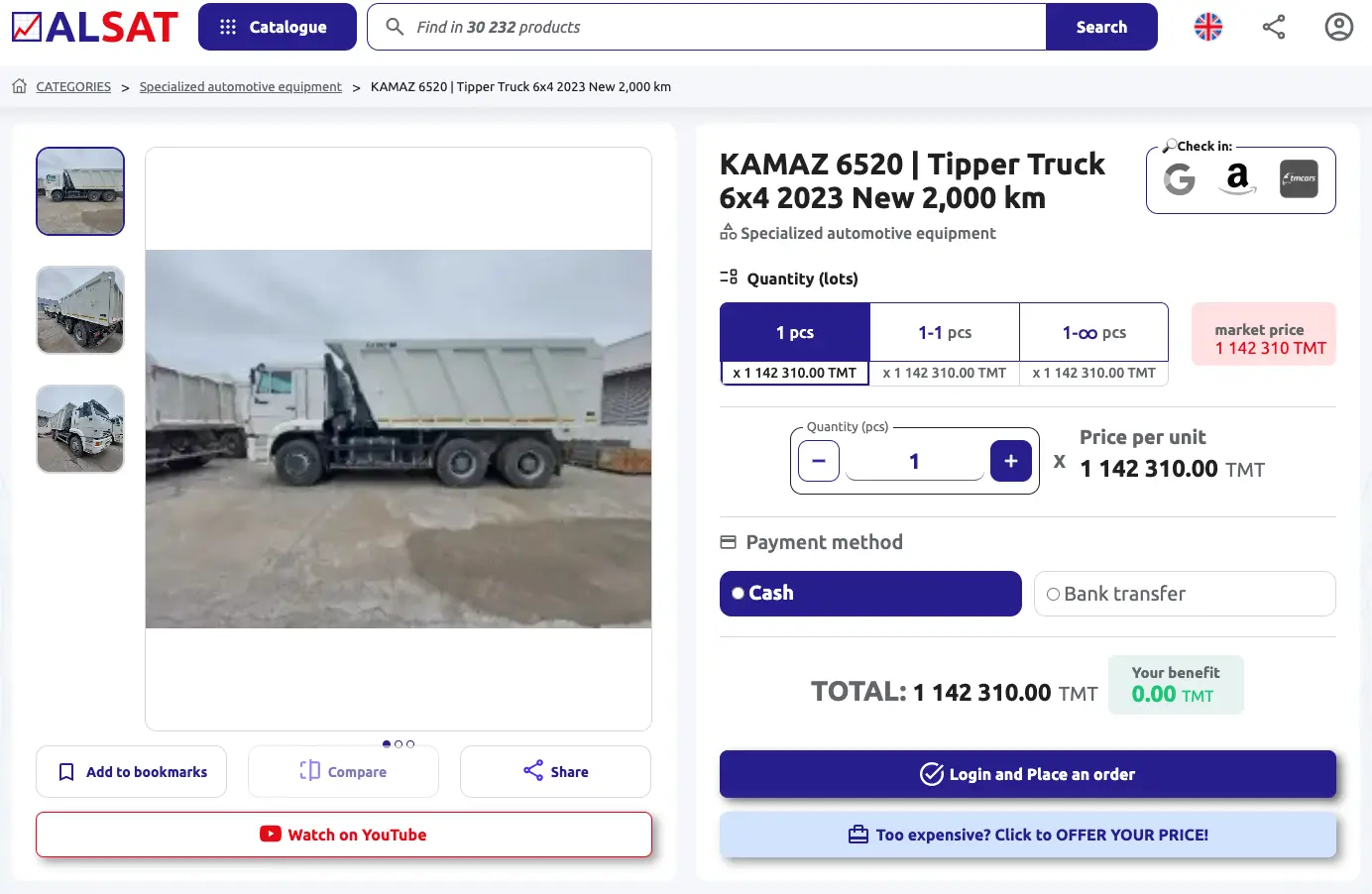
This is no longer β€œadd it to the cart just out of curiosity,” but a serious purchase for a construction, logistics, or industrial business.

A four-seat family bicycle.
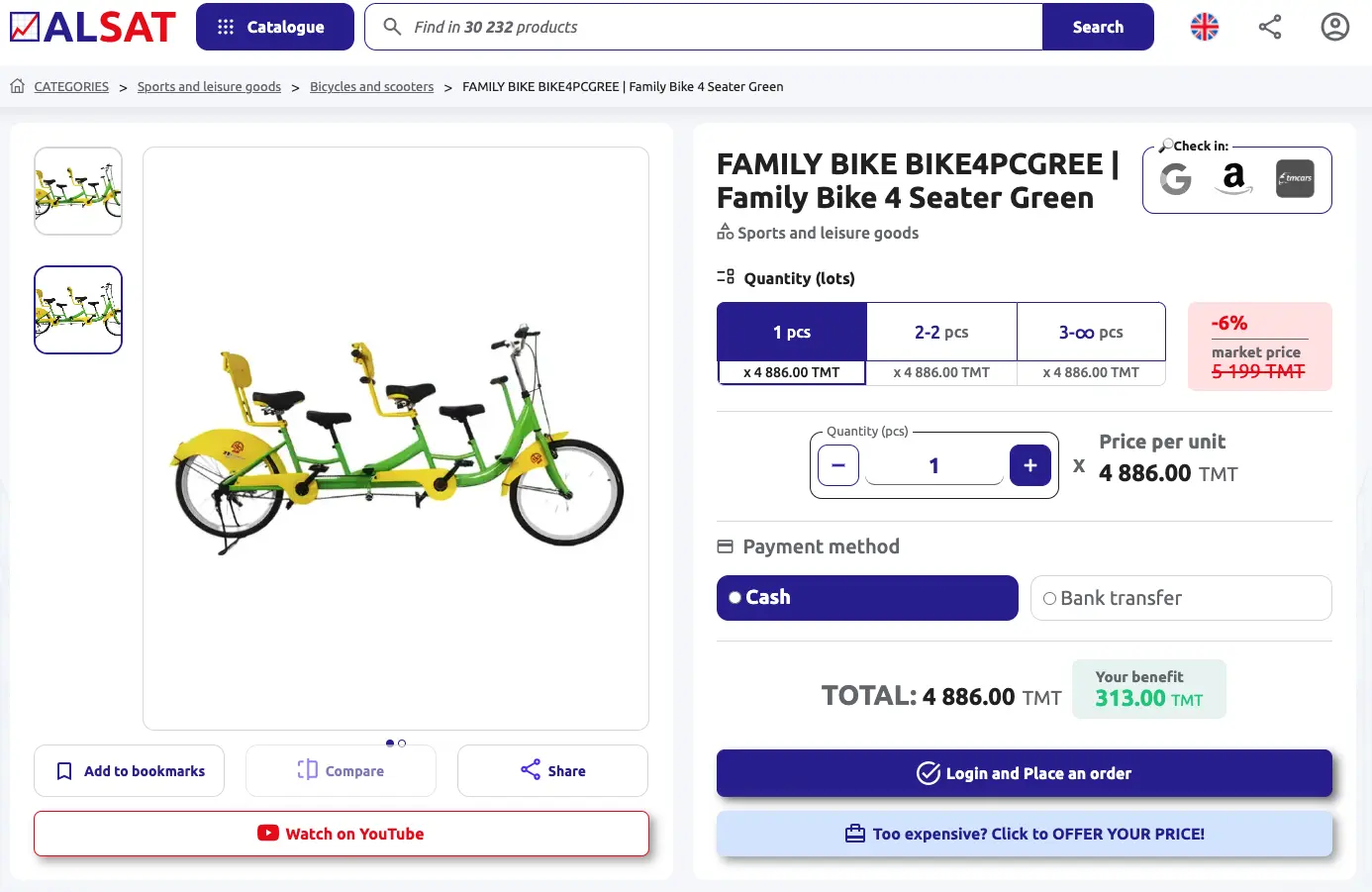
For a park, recreation area, tourist site, or a business that sells experiences.

A 90–100% alcohol hydrometer.
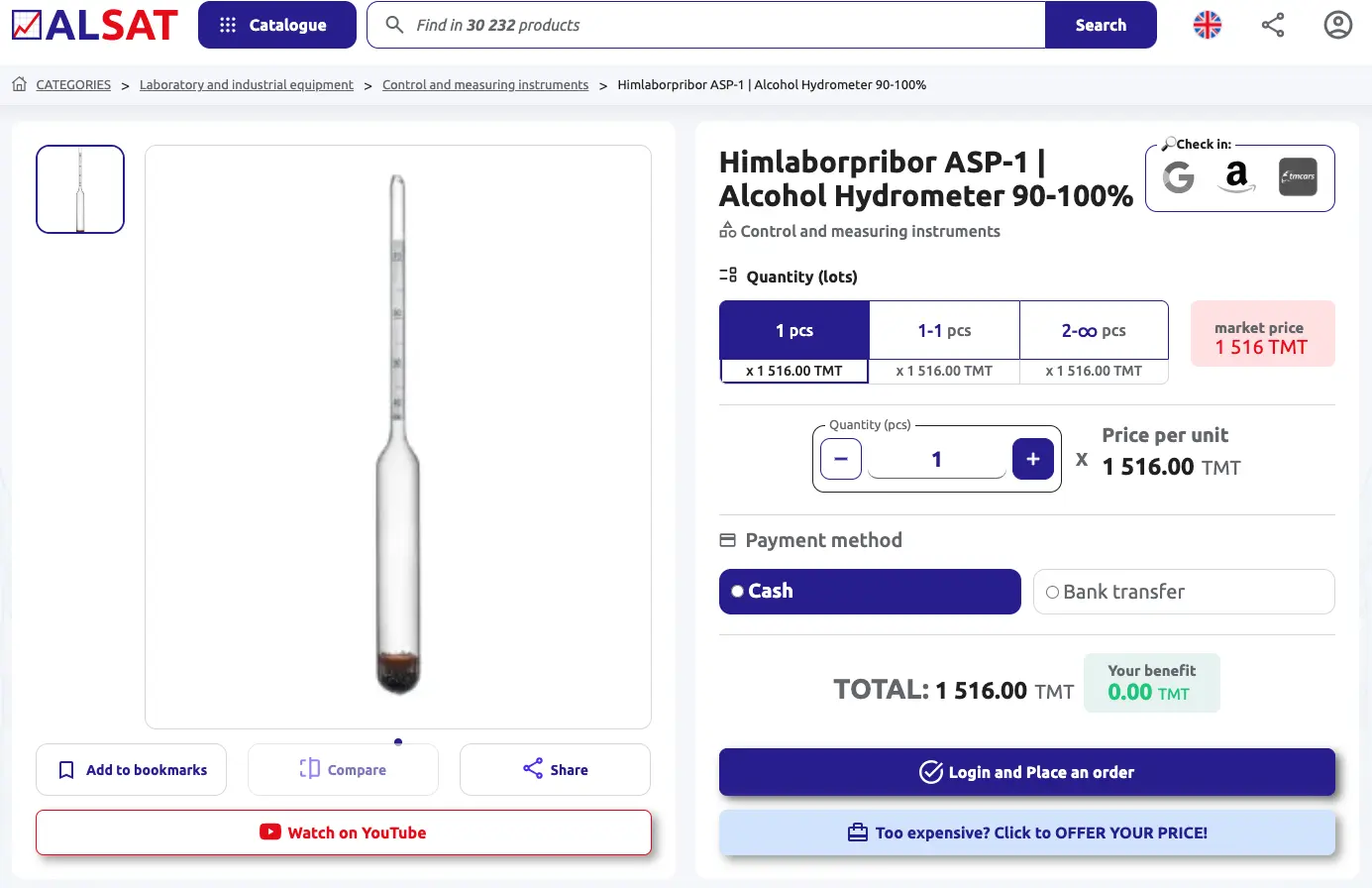
A specialized professional instrument for a specific task.

Digital services: ChatGPT, Gemini, YouTube, Netflix, TikTok, Discord, Dr.Web, Yandex Plus, and others.
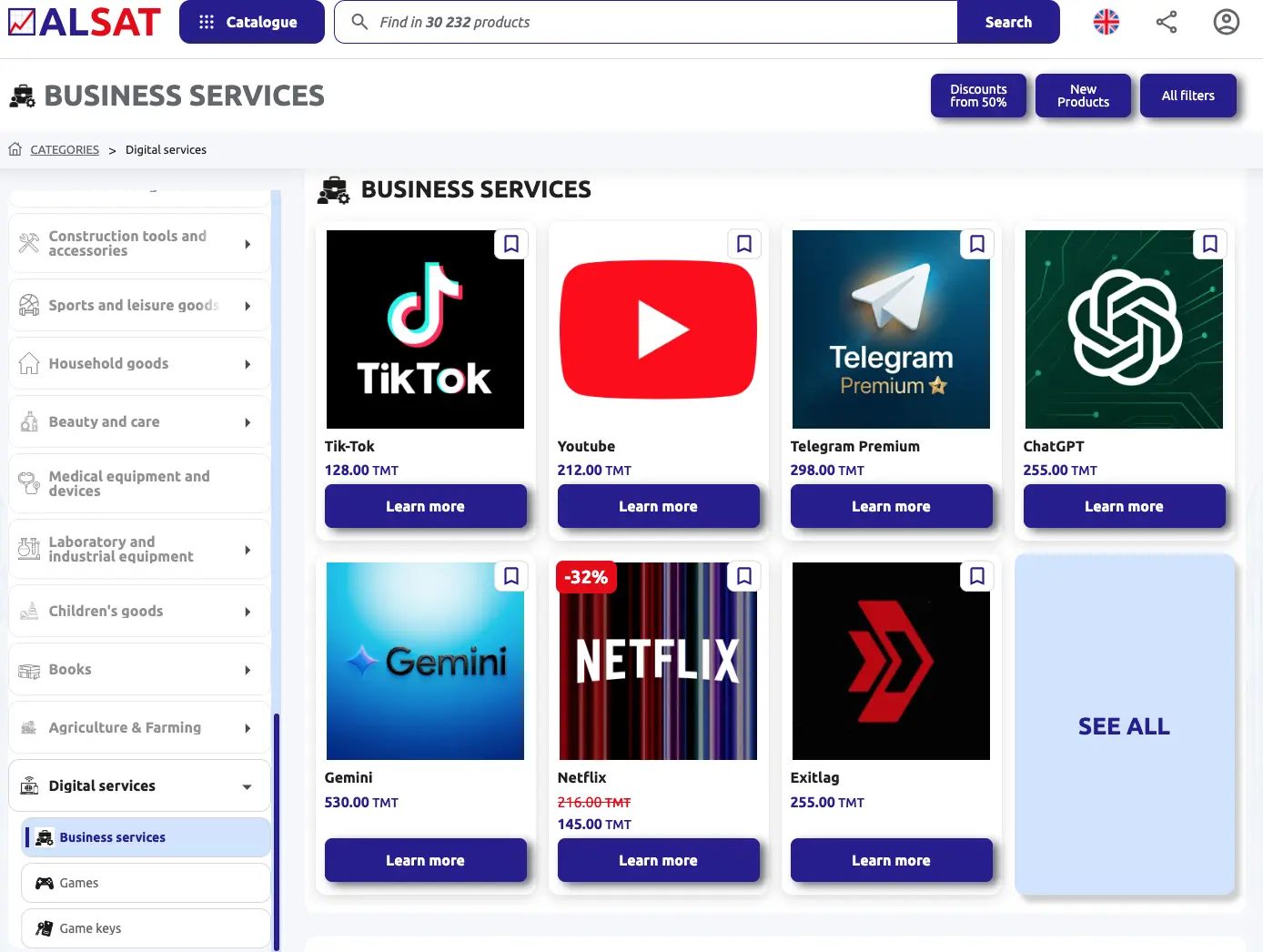
At first glance, all of this looks like a strange mix. In reality, the logic is simple: a business may need any of it. A business does not need a pretty catalog. A business needs access πŸ“ˆALSAT saves more than money. It saves attention.

β€’ 30,000+ products help you find options faster.

β€’ Categories help you navigate.

β€’ Wholesale lots help you see the benefit of buying in quantity.

β€’ Discounts help you catch a good price.

β€’ The β€œoffer your own price” feature helps you stay in the deal when the listed price does not work for you.

β€’ RFQ helps you buy from a list instead of searching item by item.

That is why πŸ“ˆALSAT is more than just a product showcase. It is a B2B platform where businesses can search, compare, request, negotiate, and buy smarter.

Visit πŸ“ˆALSAT.com.tm, find the product you need, or send an RFQ. And if the price does not work for you, offer your own. Procurement should work, not turn into a 43-episode series.


Rate this module
Why?
?
Help Center

What is πŸ“ˆALSAT?

πŸ“ˆALSAT is where businesses trade goods and equipment, and yes, it's way faster than calling 20 suppliers.

πŸ“ˆALSAT is a B2B online marketplace where businesses like yours buy and sell goods and equipment: from surplus and liquidation lots to regular wholesale stock and one-off assets.

🎯 Why we built it
Businesses often face two problems at the same time:
πŸ“¦ Some companies have goods sitting idle (stock, equipment, materials).
⚑ Others need those same items fast without overpaying or waiting for imports.

πŸ”— How it works
πŸ“ˆALSAT connects both sides through a transparent process where sellers list inventory, and buyers can search, compare, negotiate, and order.

🧩 Key features (for both sides)

πŸ‘€ For buyers
πŸ”Ž Search and filters to find what you need fast
🀝 Price negotiation and quick order placement
🧾 RFQ support: send your request and get matched options
πŸ“¦ Delivery/pickup options + support with documents (when needed)

🏷 For sellers
πŸ“Έ Easy listing: photos, specs, quantity, price
πŸ“ˆ Sell faster by reaching real business buyers
πŸ’¬ Direct enquiries and negotiation from buyers
🧹 Clear out warehouses and free up working capital

🧰 What you can sell or buy?
βœ… Surplus / excess stock / liquidation lots
βœ… Regular wholesale inventory
βœ… Equipment, tools, spare parts, building materials, office furniture, consumables, and more

πŸ’‘ Why businesses use πŸ“ˆALSAT?
πŸ’° Sell faster and free up working capital
🧠 Buy smarter: find alternatives, compare offers, and negotiate
🧾 Less friction: clear listings, order tracking, and support with documents and delivery options (when needed)

πŸ“© Need procurement help?
Send your RFQ to πŸ“§rfq@alsat.biz – we match it with available listings and usually respond within two business hours.

How to Order?

How to Place an Order in 5 Simple Steps
1. Start on the Main Page
Click the "BUY SMART" button.

2. Select a Product
Click "Learn more" under the product you want.
Tip: Use filters, sorting, or the search bar to quickly find what you need.

3. Review and Check
Check the product details, select the quantity, and click "Confirm order".

4. Enter Payment and Delivery Info
Select your payment method, provide your delivery address, and click "Confirm order" once again.

5. Order Complete
Your order is now placed! Track it anytime on your Account Page or email inbox.

How to become a seller on our platform ?

How to become a seller on our platform?
Registration takes a few seconds, and adding products takes just a few minutes.
All you need to do:

1. Register on our platform.
2. Log in to your account.
3. Add your products by filling out the seller table.

In the table, you must first fill in the mandatory fields (they are highlighted in red) - these are "name", "quantity" and "current price"

The more detailed and accurate the information about your product is - including its characteristics, advantages and features, high-quality photos - the higher the likelihood that a potential buyer will be interested and make a purchase. A detailed description attracts attention and helps you stand out from competitors, increasing the chances of a successful sale.

We will take care of everything else: from advertising to finding buyers and ensuring timely payment.

Terms of sale

1. Registration and Adding Products:
The seller must register on the platform and provide accurate information about the products, including description, price, and quantity.

2. Commission:
The platform charges a commission on successful sales. The commission amount is specified in the platform's terms of use.

3. Quality Guarantee:
The seller is obliged to provide products that match the description and guarantee their quality.

4. Payment and Delivery:
The seller must ensure timely delivery of the product and proper documentation. The platform may offer payment protection if provided for by the rules.

5. Returns and Refunds:
Sellers are required to adhere to the return policy if the buyer finds defects or receives a non-conforming product. The return conditions are specified when listing the product.

6. Complaints and Disputes:
Disputes between the buyer and the seller are resolved in accordance with the rules of the platform. If necessary, the platform can act as a mediator.

7. Compliance with the law:
The seller is obliged to comply with all applicable laws regarding trade and taxation.

Returns

Return of goods and refund conditions (for buyers)

1. General Overview
At πŸ“ˆALSAT, we strive to ensure that all transactions between buyers and sellers are smooth and satisfactory. However, we understand that there may be instances where a refund is necessary. This Refund Policy outlines the conditions under which refunds are processed.

By creating an account, using our platform, or completing any transaction on πŸ“ˆALSAT, you agree to this Refund Policy. Your continued use of the platform following any modifications to this policy constitutes your acceptance of such changes.

2. Eligibility for Refunds
Refunds may be considered under the following conditions:

- The product received does not match the description provided on the platform.

- The product is defective or damaged upon delivery.

Refunds will not be granted under the following circumstances:

- The buyer changes their mind after the transaction has been completed.

- The buyer fails to follow the product usage guidelines or causes damage to the product.

- The buyer is dissatisfied with the quality but the product matches the agreed specifications.

3. Requesting a Refund
To request a refund, buyers must follow these steps:

1. Contact Us: The buyer must notify πŸ“ˆALSAT’s customer service within 7 calendar days of receiving the product via email. Please provide details, including order number, item description, and the reason for requesting a refund.

2. Submit Evidence: Buyers may be required to provide photographs or other evidence to support their refund request (e.g., images of damage or incorrect product).

3. Return of Goods: If the refund is approved, the buyer may be required to return the product to the seller. In such cases, the return shipping cost will be covered by the buyer unless agreed otherwise.

4. Refund Processing
- Refunds are typically processed within 14 business days of receiving the request and verifying the issue.

- Refunds will be issued via the original payment method (bank transfer, credit card, etc.).

- If the refund request is denied, ALSAT’s customer support will provide a detailed explanation.

5. Non-Refundable Situations
- Products that have been customized or made-to-order.

6. Dispute Resolution
If a buyer and seller cannot come to an agreement regarding a refund, πŸ“ˆALSAT will act as a mediator. Both parties must provide all relevant information to help us resolve the issue fairly.

7. Modifications
πŸ“ˆALSAT reserves the right to modify or update this Refund Policy at any time. Any changes will be communicated via the platform or by email to registered users.

How can I trust the quality of bulk items?

We carefully select and verify all sellers on our platform to ensure they meet our quality standards. We ensure transparency throughout the transaction. If there are any concerns about the quality of the goods received, we have systems in place to resolve disputes efficiently.

RFQ

What is RFQ?

It’s like a smart search using a list:
βœ… you have a shopping list
βœ… you upload it to ALSAT
βœ… ALSAT finds matching products

Step by step

1) Sign in
Log in to your account (or register).

2) RFQ page
Open the section in your account where it says RFQ.

3) Prepare your list (Excel / spreadsheet)
Your list should include:
Product name
Quantity
Details (if important: model, size, brand, color)

Example:
A4 paper β€” 10 packs
HDMI cable 2 m β€” 20 pcs
AA batteries β€” 50 pcs

4) Upload the file
Click Upload file β†’ choose the file β†’ attach and confirm.

5) Get results πŸŽ‰
After processing, ALSAT will send you matching items and prices. You choose and place an order.

6) Actions
By opening the commercial offer, you can download the result or view it directly on the website.

RFQ - View

RFQ Results Page

How to navigate

1) Check the status by color
Color helps you understand the result in 2 seconds:
🟩 Green β€” a matching product is found

🟨 Yellow β€” an alternative (a similar option)

πŸŸ₯ Red β€” not found / product is sold out

2) Quantity also matters (red text)
If the quantity is highlighted in red, it means:
πŸŸ₯ the seller does not have enough quantity.

What you can do with the results

3) Click on a product
After clicking the product, you can:
Place an order

View the product (open the product page)

Add to bookmarks (so you don’t lose it)

Welcome to Our Platform!

You need to Login or Register to access this feature.